



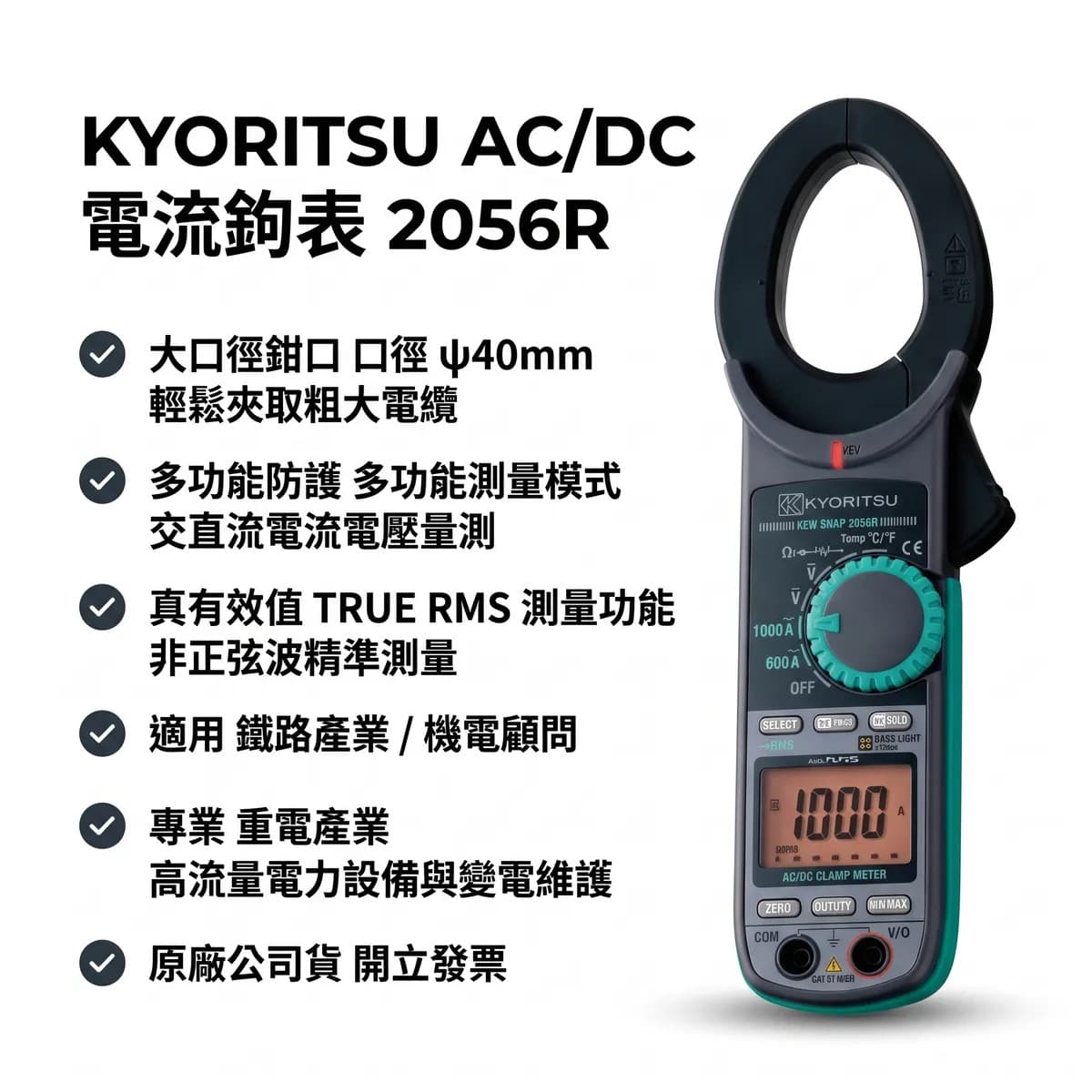
KYORITSU KEW 2056R AC/DC Clamp Meter | True RMS, AC / DC 1000 A, 600 V, φ40 mm jaw, CAT IV 600 V, NCV
KYORITSU KEW 2056R AC/DC Clamp Meter: True RMS, 1000 A Overview The KEW 2056R is a KYORITSU True RMS AC/DC clamp meter for power distribution and equipment maintenance work. An NCV sensor built into the left side of the jaw lights a red LED when AC voltage is detected; the body uses two-material molding. Key Specifications AC current : 0–600.0 / 10
Overview
KYORITSU KEW 2056R AC/DC Clamp Meter: True RMS, 1000 A
Overview
The KEW 2056R is a KYORITSU True RMS AC/DC clamp meter for power distribution and equipment maintenance work. An NCV sensor built into the left side of the jaw lights a red LED when AC voltage is detected; the body uses two-material molding.
Key Specifications
- AC current: 0–600.0 / 1000 A; ±2.0%rdg±5dgt (50 / 60 Hz)
- DC current: 0–600.0 / 1000 A; ±1.5%rdg±5dgt
- Voltage: AC 6 / 60 / 600 V; DC 600 mV / 6 / 60 / 600 V
- Other measurements: Resistance up to 60 MΩ, continuity, diode, capacitance up to 40 μF, frequency up to 10 kHz, duty, temperature −50 to 300 °C (optional 8216 probe)
- Functions: Peak hold, MAX / MIN, REL, data hold, backlight
- Standards: IEC 61010-1 CAT IV 600 V; IEC 61010-2-032, IEC 61010-031
- Power and weight: 2 × AAA; 254 × 82 × 36 mm, approx. 310 g
Applications
- Current measurement on distribution panels and inverter-driven equipment.
Specifications per the KYORITSU English-site product page and KEW CAT IV clamp meter series catalog (retrieved 2026-10-21).
Specifications
- Key specifications
- AC / DC 0–600.0 / 1000 A; AC / DC 600 V; True RMSφ40 mm jaw; 6039 counts with bar graph; NCV non-contact voltage detectionCAT IV 600 V; 2 × AAA; approx. 310 g
- Model
- 2056R
- Brand
- KYORITSU
- Purchasing
- In stock, tax incl. / B2B formal quotation request (RFQ)
- Warranty
- One-year manufacturer warranty
Calibration
If your instrument needs periodic calibration, register the brand, model and calibration requirements on the calibration service page and we will send a separate quote.
Go to calibration service